Getting started with Facebook Timeline
From InmanNext
By Inman News, Monday, September 26, 2011.Editor's note: The following is an excerpt from a post at InmanNext. View the original: "Facebook Timeline: A Complete Overview."
By JIMMY MACKIN
What is Timeline? Timeline is your new Facebook Personal Profile.
You're going to love it.
How to get Timeline right now
Timeline will be available to all users in the coming weeks. Thanks to an excellent article written by Techcruch.com, you don't have to wait.
Follow these steps:
1. Log in to Facebook.
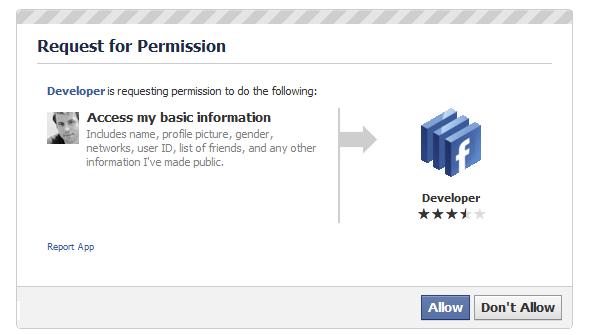
2. Type "developer" in the Facebook search box.

3. Select the Developer App -- then allow.
4. Select "Create a New App."
Jimmy Mackin is the co-founder of The MLS App, a tool that allows agents to market their real estate listings on Facebook. Jimmy works to master Facebook’s potential. Find him on Facebook or Twitter: @JimmyMackin.
All rights reserved. This content may not be used or reproduced in any manner whatsoever, in part or in whole, without written permission of Inman News. Use of this content without permission is a violation of federal copyright law.


You must login or register to post a comment.
Submitted by Terry Socia on September 27, 2011 - 7:39am.
What is happening in our MLS association is agents are putting "see address such and such on facebook" in "public" remarks. It takes you straight to their website. I won't send those listings out. The agents doing this, in my opinion, has put themselves before their client. May as well put your name and number in public remarks. Hopefully your Association will see it this way and not allow you or anyone else to advertise themselves in their MLS associations public remarks.
Texas Licensed Realtor® Since 1990